 All Features
 Screen Time
 Content Filter
 Location Tracking
 Panic Button
Resources
Panic Button
Resources
 Blog
Blog
 Help Center
Company
Help Center
Company
 Pricing
 Company
Get started free →
All Features
Screen Time
Content Filter
Location Tracking
Panic Button
Resources
Blog
Help Center
Company
Pricing
Company
Get started free →
Company
Get started free →
All Features
Screen Time
Content Filter
Location Tracking
Panic Button
Resources
Blog
Help Center
Company
Pricing
Company
Get started free →
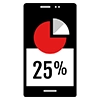 Activity Reports
Daily and weekly activity reports that show you exactly how your child spends their time online — app usage, browsing categories, screen time trends, and flagged content, all in one easy dashboard.

 COPPA & GDPR Certified
 256-bit Encryption
 4.8★ Google Play
 Editor's Choice 2025
 Cancel anytime
All features available from your first day — no setup fees, no hidden extras.

See a detailed breakdown of every app used and every website category visited each day.

Track whether screen time is going up or down week over week with easy-to-read charts.

A complete log of every blocked website, flagged search, or AI alert from the past 30 days.

See which apps your child uses most and for how long, ranked by time spent.

Receive an automatic weekly summary email every Monday morning with the previous week's highlights.

Family Pro subscribers get 90 days of searchable history — ideal for spotting long-term behaviour patterns.
Everything works better together — explore related tools and in-depth guides.




Join over 2 million families who trust GuardianShield. Full access free for 30 days — no credit card, no commitment.
✓ 30-day free trial · ✓ No credit card · ✓ Cancel anytime · ✓ All devices