All Features
 Screen Time
 Content Filter
 Location Tracking
 Panic Button
Resources
Panic Button
Resources
 Blog
Blog
 Help Center
Company
Help Center
Company
 Pricing
 Company
Get started free →
All Features
Screen Time
Content Filter
Location Tracking
Panic Button
Resources
Blog
Help Center
Company
Pricing
Company
Get started free →
Company
Get started free →
All Features
Screen Time
Content Filter
Location Tracking
Panic Button
Resources
Blog
Help Center
Company
Pricing
Company
Get started free →
 App Management
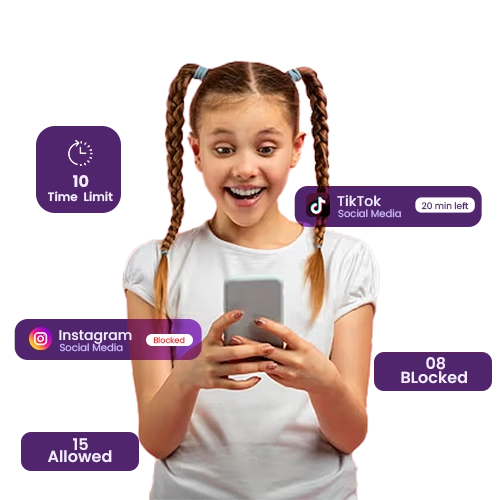
View, approve, block, and set time limits on every app your child installs — all from your parent dashboard. No more arguing about game time or mystery app downloads.
 COPPA & GDPR Certified
 256-bit Encryption
 4.8★ Google Play
 Editor's Choice 2025
 Cancel anytime
All features available from your first day — no setup fees, no hidden extras.
Block any app on your child's device instantly from your phone — no need to touch their device.
Allow Roblox for 45 minutes per day then lock it automatically. Set different limits per app.

Get notified the moment your child tries to download a new app, with the option to approve or block it.

Prevent sideloading of apps from outside the official app store to stop circumvention attempts.

Block entire categories — Social Media, Games, Dating, Shopping — with a single toggle.

See how long each app was used each day over the past 30 days for a full picture of screen habits.
Everything works better together — explore related tools and in-depth guides.
Join over 2 million families who trust GuardianShield. Full access free for 30 days — no credit card, no commitment.
✓ 30-day free trial · ✓ No credit card · ✓ Cancel anytime · ✓ All devices